Scan a Barcode. Done.
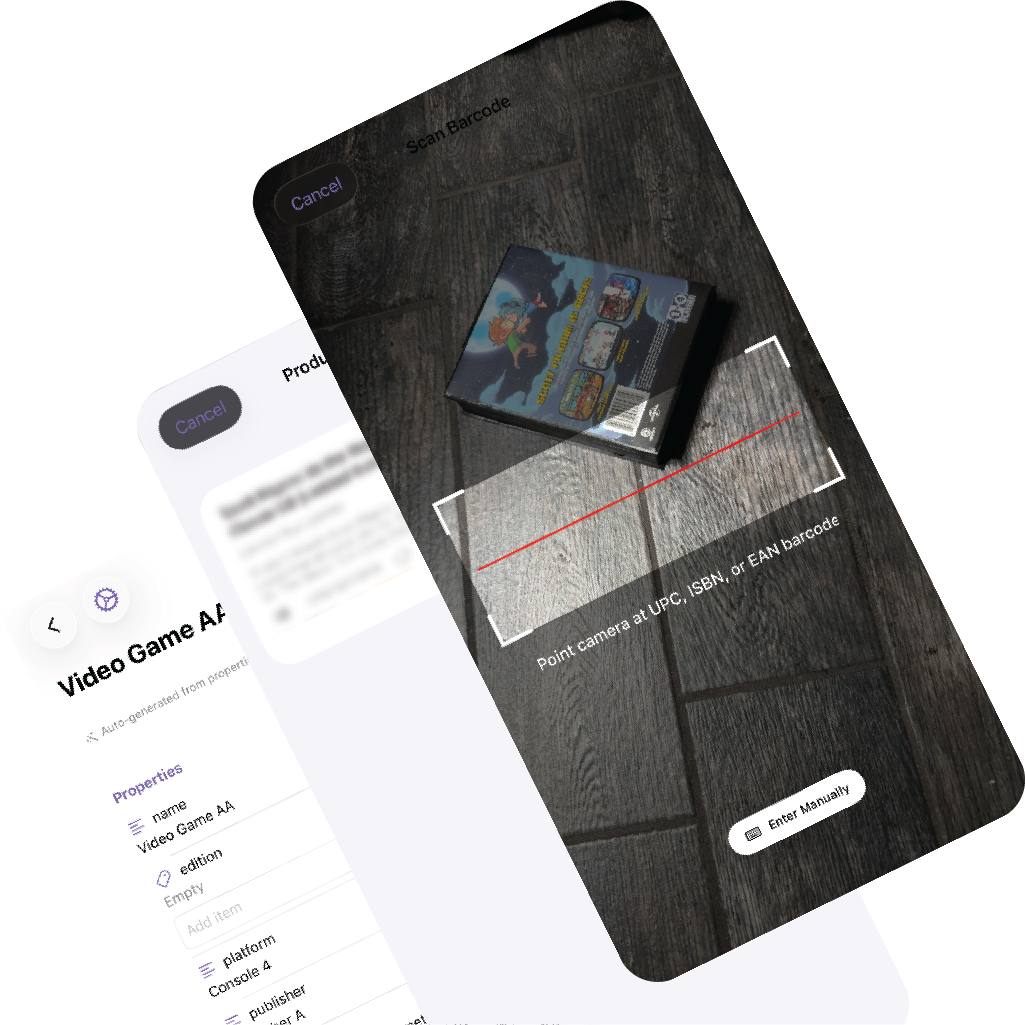
Point your camera at a barcode and let MDCollections do the repetitive part. Product details are fetched automatically so you can move from physical item to saved record in seconds instead of filling out the same fields by hand.
Barcode Scanning
Scan UPC, EAN, or ISBN barcodes directly from your device camera. MDCollections reads the code and starts the lookup flow immediately.
Auto-Fill from Product Data
When a barcode is recognized, MDCollections can retrieve the item name, brand, description, category, image, and other available metadata. Your collection properties are then filled in for review instead of being typed from scratch.
Speed-First Workflow
The workflow is designed for repeated intake. Scan one item, save it, then move straight to the next. For books, games, media, packaged tools, and many household items, that turns large cataloging sessions into something realistic.
Why it matters
This is one of the clearest differences between MDCollections and a plain note-based workflow. You still end up with Markdown files, but you skip a large amount of manual entry on the way there.